
Settlement · 5 min read
Bank Rejected Your USDT Payout? Why It Happens and What to Do
Why an INR payout after selling USDT can fail or be returned by your bank: wrong IFSC, name mismatch, closed account, transfer limits, and how to fix it.
By Bryan Aaron · Updated
Quick answer
If your bank rejects or returns an INR payout, the money goes back to the sender, not into thin air. The usual causes are a wrong account number or IFSC, a name mismatch, a closed or frozen account, or a transfer limit. Fix the detail, and the payout is sent again at the same INR amount.
You sold USDT, the blockchain confirmed it, and then the bank transfer didn't go through. It's stressful, but it's also one of the easier problems to fix. A rejected bank transfer doesn't vanish: it goes back to the sender, and the INR you're owed is still owed.
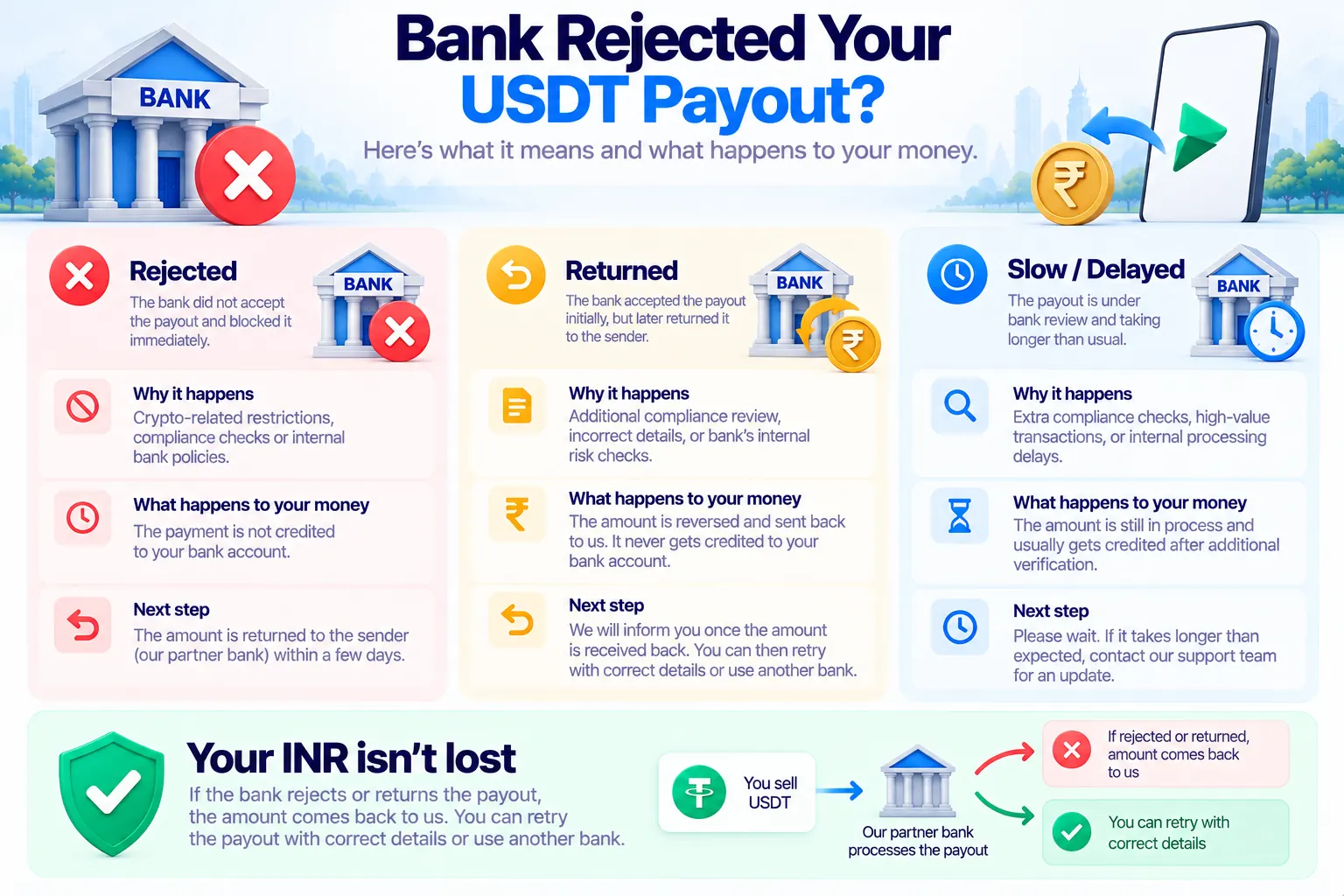
Rejected, returned or just slow?
- Rejected: the transfer never reached your account. Your bank, or the sender's, refused it, usually within minutes for IMPS.
- Returned: the transfer was sent, but your bank sent it back, often a few hours later for NEFT. The money returns to the sender.
- Slow: the transfer was sent and has a UTR, but isn't showing in your account yet. That's a different problem, covered in INR not received after selling USDT.
Why banks reject payouts
- Wrong account number or IFSC. One wrong digit is the most common cause. IFSC codes also change when branches merge.
- Name mismatch. The name on the payout doesn't match the name on the account closely enough.
- Closed, dormant or frozen account. An account you haven't used in a while may be dormant, and a frozen or KYC-pending account can't receive credits.
- Transfer limits. RTGS is only for ₹2 lakh and above, IMPS is usually capped at ₹5 lakh, and some accounts have their own credit limits.
- Account type. Some accounts, such as certain NRE accounts, can't receive this kind of domestic credit.
- Bank downtime. Sometimes the receiving bank is simply offline, and the transfer fails until it's back.
What to do
- Check your bank details. Compare the account number, IFSC and holder name in the sale with your passbook or bank app.
- Check the account itself. Log in to your bank app: is the account active, and can it receive money? If it's dormant or frozen, ask your bank to reactivate it, or use another account in your own name.
- Check the method. Below ₹2 lakh, use IMPS or NEFT, not RTGS. Above ₹5 lakh, use NEFT or RTGS.
- Contact the platform with the order number and the corrected details. Don't start a new sale for the same USDT: the first one already holds what you're owed.
How Disburz handles a failed payout
- You'll see it. Your sale shows Payout delayed, meaning the bank transfer didn't go through, and the team is on it.
- Your INR amount doesn't change. It was fixed when your USDT was received, and a retried payout sends the same amount, whatever the rate does in the meantime.
- Every failure is reviewed by a person. Our payout partner Trans Ramp checks why it failed and sends it again, or contacts you if a detail needs fixing.
- Changing bank details: each sale keeps the bank account it was created with. Updating your profile only affects new sales, so to fix a failed one, raise a ticket in your account with the correct details.
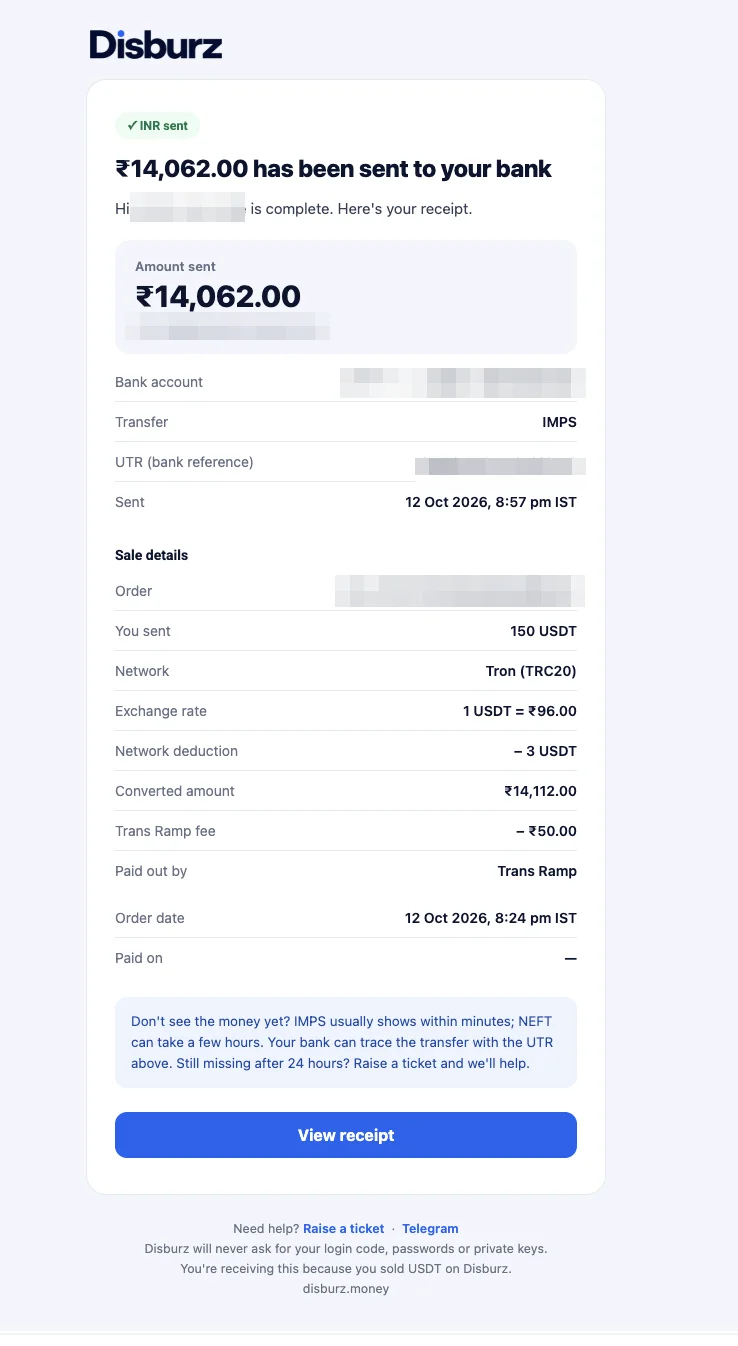
- When it succeeds, the sale shows Completed and you get the UTR by email.
How to avoid it next time
- Copy the account number and IFSC from your bank app, not from memory.
- Use the account holder name exactly as your bank shows it.
- Use an active savings or current account in your own name that you use regularly.
- Pick the right method for the amount. See IMPS vs NEFT vs RTGS vs UPI.
- Selling a large amount? Try a small order first. See how to sell a large amount of USDT.
For how long a normal payout takes, see USDT to INR settlement time.