
How-to · 6 min read
How to Sell USDT for INR in India (Step-by-Step, 2026)
How to sell USDT for INR in India and get rupees in your bank account: quotes, networks, rate lock, fees and settlement, step by step.
By Bryan Aaron · Updated · यह गाइड हिंदी में पढ़ें
Quick answer
To sell USDT for INR in India, get a live quote, lock the rate, add a bank account in your own name and send the USDT on the network shown to your deposit address. Once the transfer confirms on-chain, the rupees are paid to your bank by IMPS, NEFT or RTGS, with a UTR as proof.
Selling USDT for INR used to mean finding a buyer on a P2P marketplace, waiting for a UPI transfer from a stranger and hoping the money wasn't linked to fraud. A direct crypto offramp replaces all of that with one counterparty, a fixed quote and a bank payout. This guide walks through the full process with Disburz, and the checks you should make whichever platform you use. Still deciding on a route? Compare them in the best way to sell USDT in India.
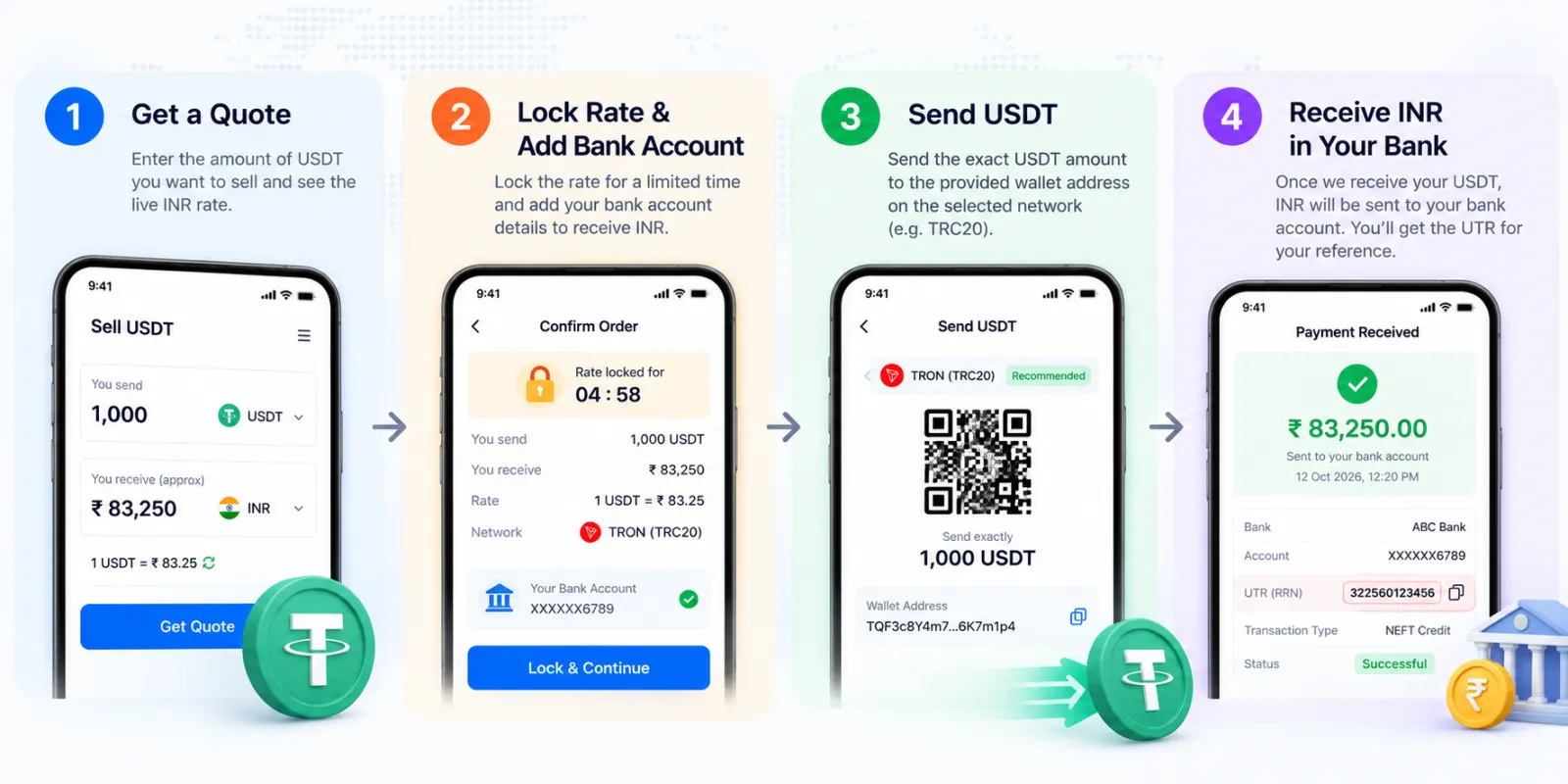
Before you start: what you need
- USDT in a wallet or exchange account that lets you withdraw to an external address.
- Knowledge of which network your USDT is on — TRC20 (Tron), ERC20 (Ethereum), Polygon, Solana, BSC or Base. If you're unsure, read TRC20 vs ERC20 USDT.
- An Indian bank account in your own name. Payouts go only to accounts that match the verified account holder.
That's all. On Disburz there are no KYC documents to upload: you sign up with your name, email and phone.
Step 1 — Get a live quote
Enter how much USDT you want to sell and pick the network. The quote shows the live rate, every deduction and the exact INR you will receive. Try any amount in the USDT to INR calculator first.
Step 2 — Lock the rate
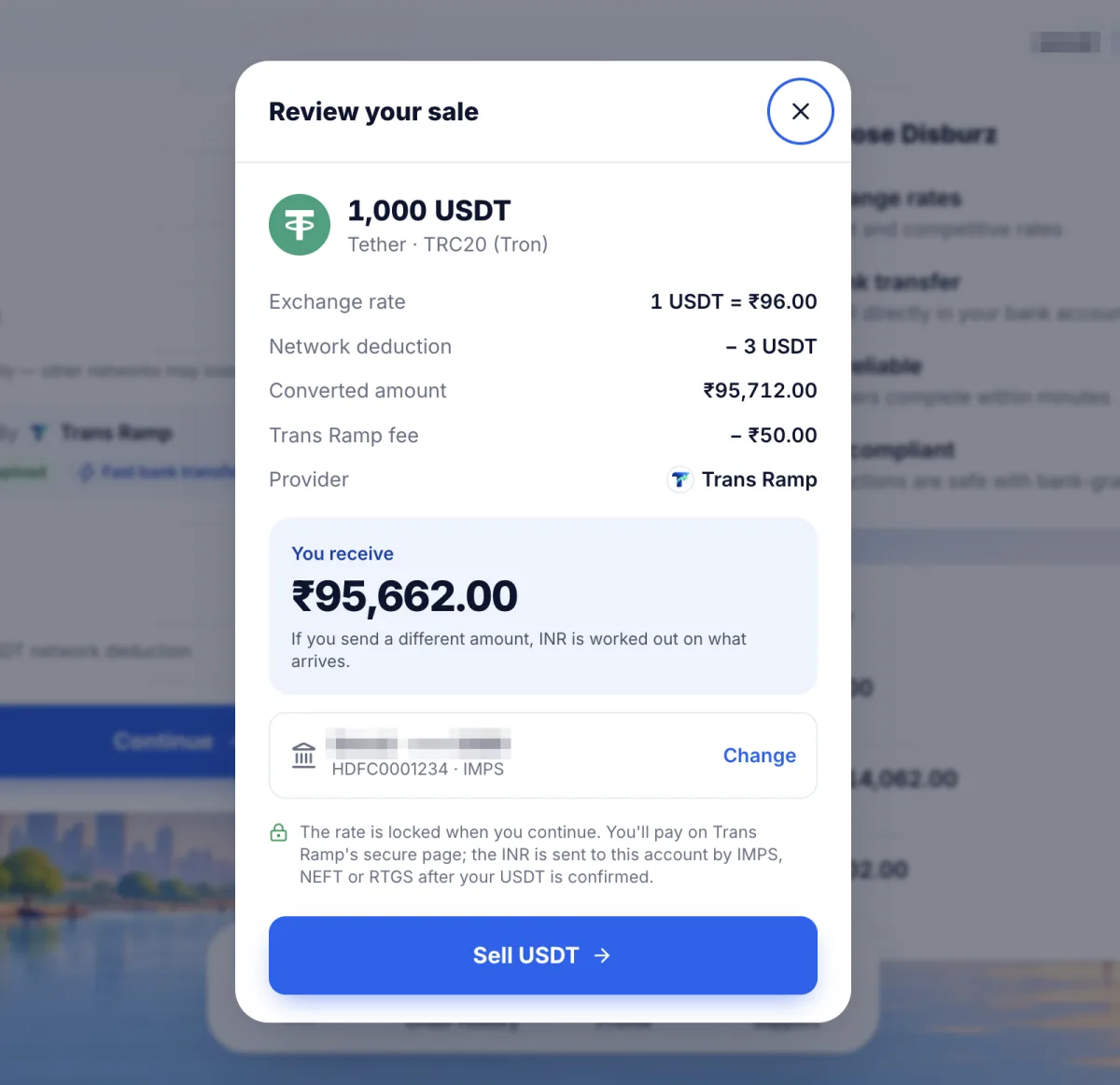
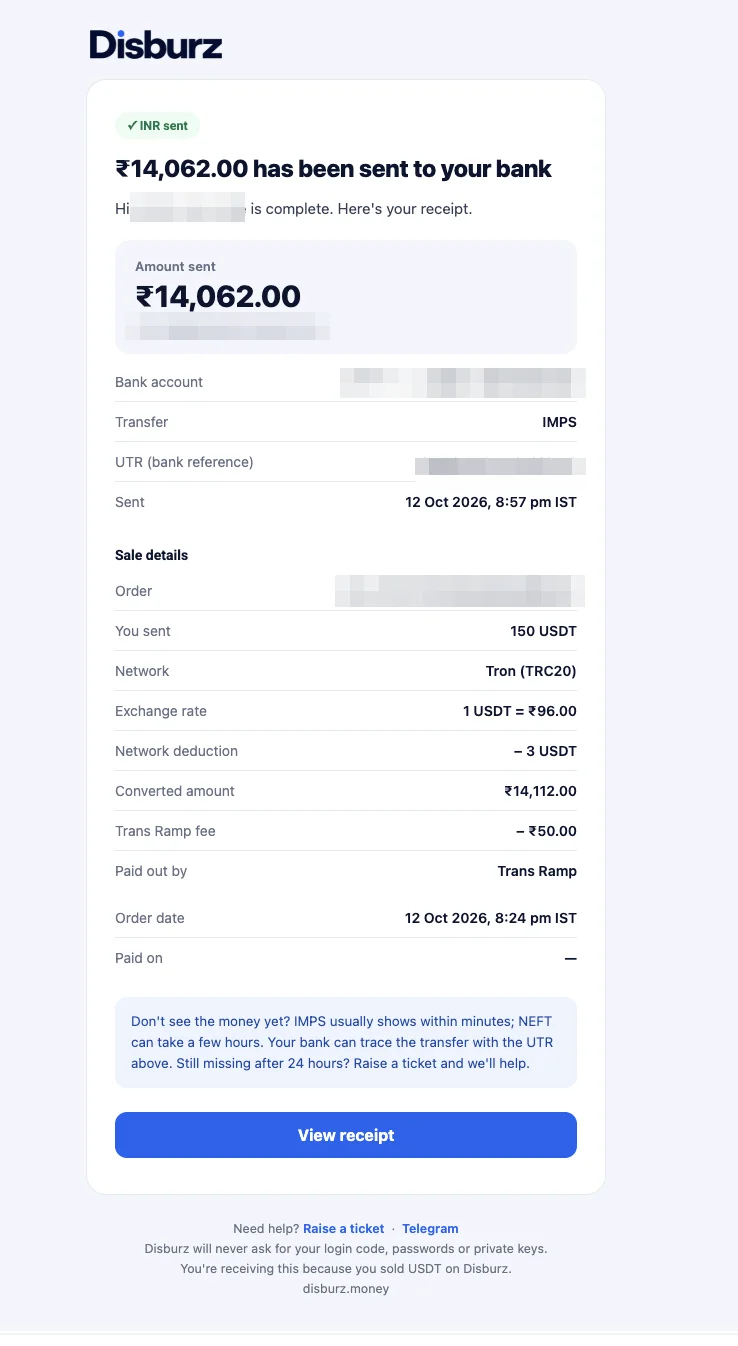
Click Continue and review the sale: exchange rate, network deduction, the payout fee and the INR you receive. The rate is locked when you continue, as long as you send the exact amount on the selected network. If you send a different amount, the INR is worked out on what arrives.
Step 3 — Add your bank account
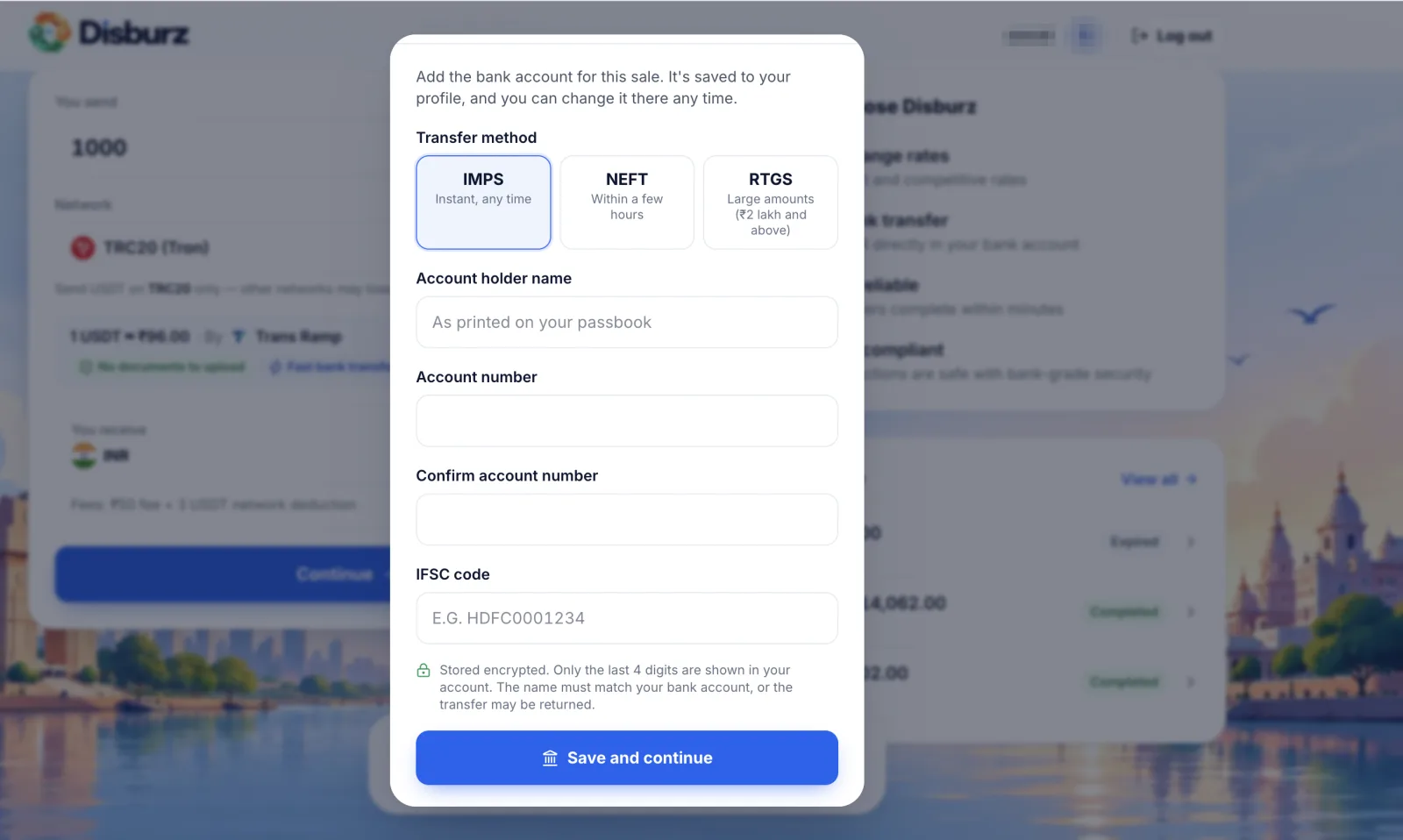
Enter or select the bank account you want paid: account holder name, account number and IFSC. Choose IMPS (instant, any time), NEFT (within a few hours) or RTGS (₹2 lakh and above). The name must match your bank account, or the transfer may be returned.
Step 4 — Send USDT to your deposit address
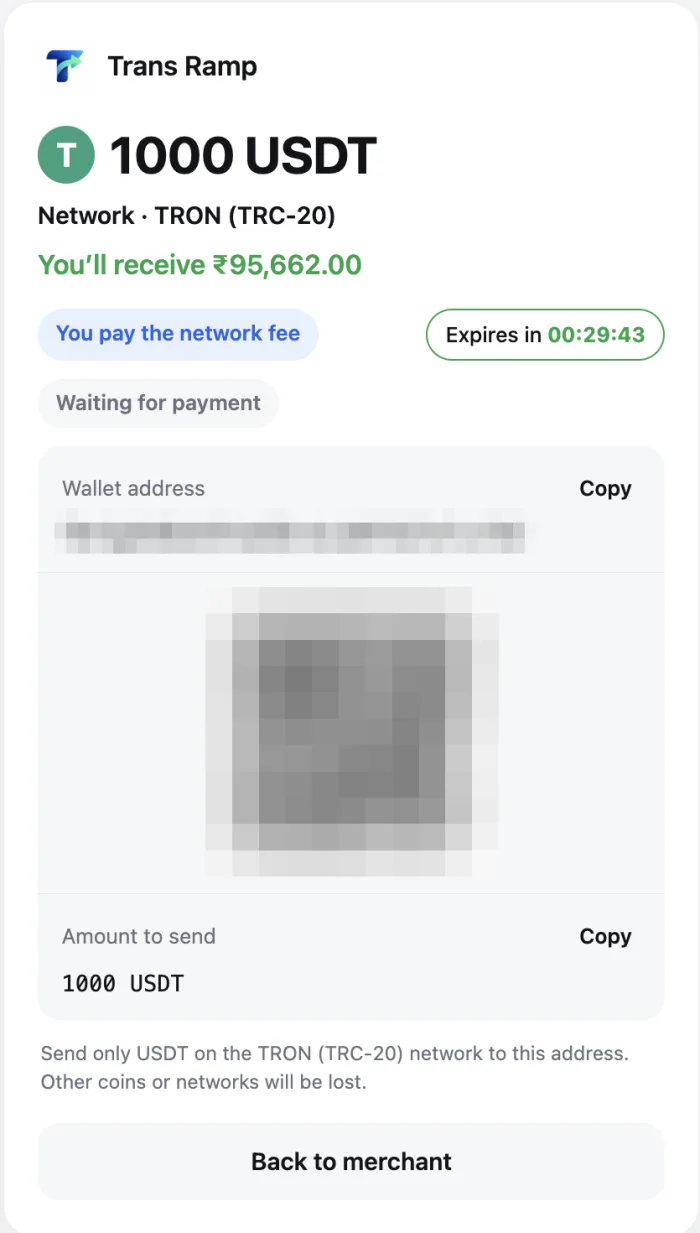
You get a unique deposit address for your order. Copy it exactly, double-check the network in your wallet matches the quote, and send the exact amount. Remember that your wallet may charge its own network or withdrawal fee on top — make sure the amount that arrives matches the order.
Step 5 — Track the payout and get your UTR
The order page shows when your payment is detected and counts the network confirmations. Once it is confirmed, the INR is sent and you get an email with the UTR (Unique Transaction Reference), the number your bank uses to identify the credit. IMPS usually shows within minutes; NEFT can take a few hours. See how long settlement takes for network-by-network timings.
Common mistakes to avoid
- Sending on a different network from the one in your quote.
- Sending after the lock window expires — the order is re-quoted at the live rate.
- Sending a different amount from the order, usually because the wallet deducted its fee from the amount.
- Using a bank account that isn't in your name.
What about tax?
In India, gains from selling crypto are taxed as virtual digital assets, and TDS may apply. Read our crypto tax and TDS guide and keep your Disburz statements for your return.