
How-to · 7 min read
Trust Wallet to Bank Account in India: How to Get INR
Send USDT from Trust Wallet on TRC20 and get INR in your Indian bank account in minutes. Steps, the TRX fee, limits, charges and a live example.
By Bryan Aaron · Updated · यह गाइड हिंदी में पढ़ें
Quick answer
Trust Wallet can't pay rupees into a bank account by itself. To get INR, send your USDT from Trust Wallet to a platform that buys it, such as a direct offramp or an Indian exchange, on the same network your USDT is on. Keep some TRX (or BNB or ETH) in the wallet to pay the network fee.
Trust Wallet can’t send rupees to your bank. It’s a wallet that holds your crypto, not an exchange or a bank. To get INR, you send your USDT (or other crypto) from Trust Wallet to a platform that buys it and pays rupees into your Indian bank account. The whole thing takes a few minutes, as long as you get two details right: the network and the fee coin.
Watch it done: a real sale in under 4 minutes
Prefer video? This walkthrough (in Hinglish) sends USDT from Trust Wallet and shows the INR landing in the bank.
Step 1: Find out which network your USDT is on
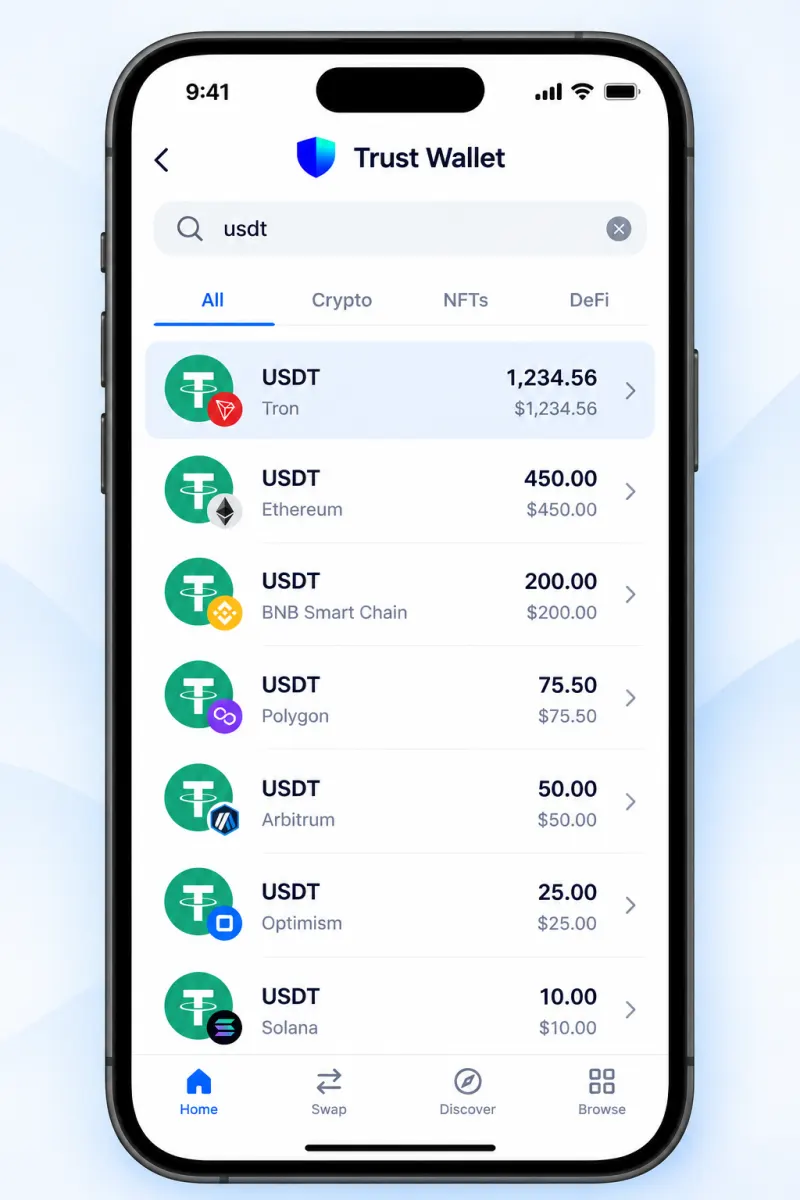
Trust Wallet holds USDT on several blockchains, and it shows them as separate tokens. Tap your USDT and look at the network name under it:
- Tron: TRC20 USDT. Your receiving address starts with
T. - BNB Smart Chain: BEP20 USDT. Address starts with
0x. - Ethereum: ERC20 USDT. Address also starts with
0x. - Polygon or Solana, less common but supported.
If you have USDT on more than one network, treat them as different coins. Send each one on its own network. Not sure? Our TRC20 vs ERC20 guide explains the differences.
Using a different wallet? See MetaMask, Phantom, Coinbase Wallet, Exodus, Ledger or TronLink.
Step 2: Make sure you have the fee coin
This is where most people get stuck. Every network charges its fee in its own coin, not in USDT. If you don’t have it, Trust Wallet won’t let you send.
| Your USDT is on | You need some | Rough fee per transfer |
|---|---|---|
| Tron (TRC20) | TRX | Around $2 in TRX; more if the recipient is new |
| BNB Smart Chain (BEP20) | BNB | A few cents |
| Polygon | POL | A few cents |
| Solana | SOL | Under a cent |
| Ethereum (ERC20) | ETH | Several dollars, varies a lot |
Approximate, as of October 2026. Trust Wallet shows the exact network fee before you confirm.
The TRX trap on Tron
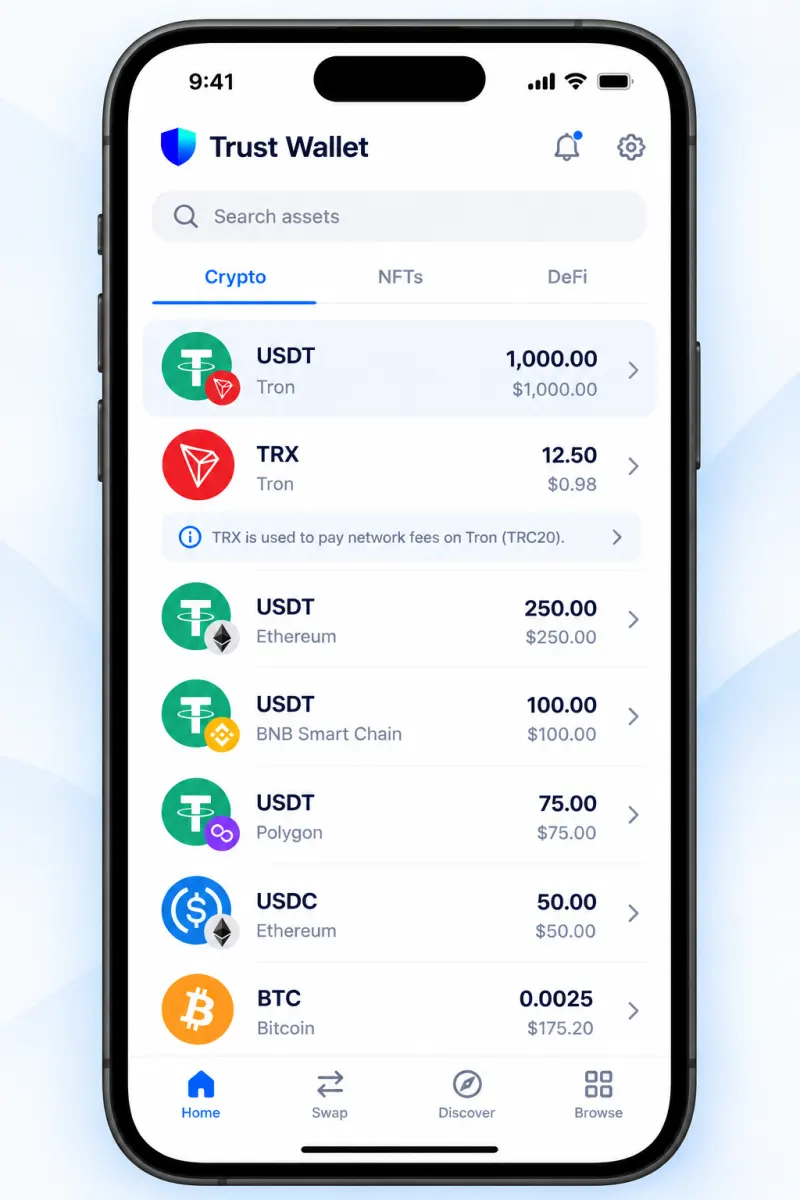
On Tron, a USDT transfer uses “energy”. If you don’t have any (most people don’t), the network burns TRX from your balance instead. Sending to an address that has never held USDT costs roughly double. So the fee can look higher than a friend told you. Keep about 15–30 TRX in your wallet before sending, and you’ll be covered for a normal transfer. If you send USDT on Tron often, staking TRX or renting energy brings the cost down sharply.
Step 3: Get a quote and a deposit address
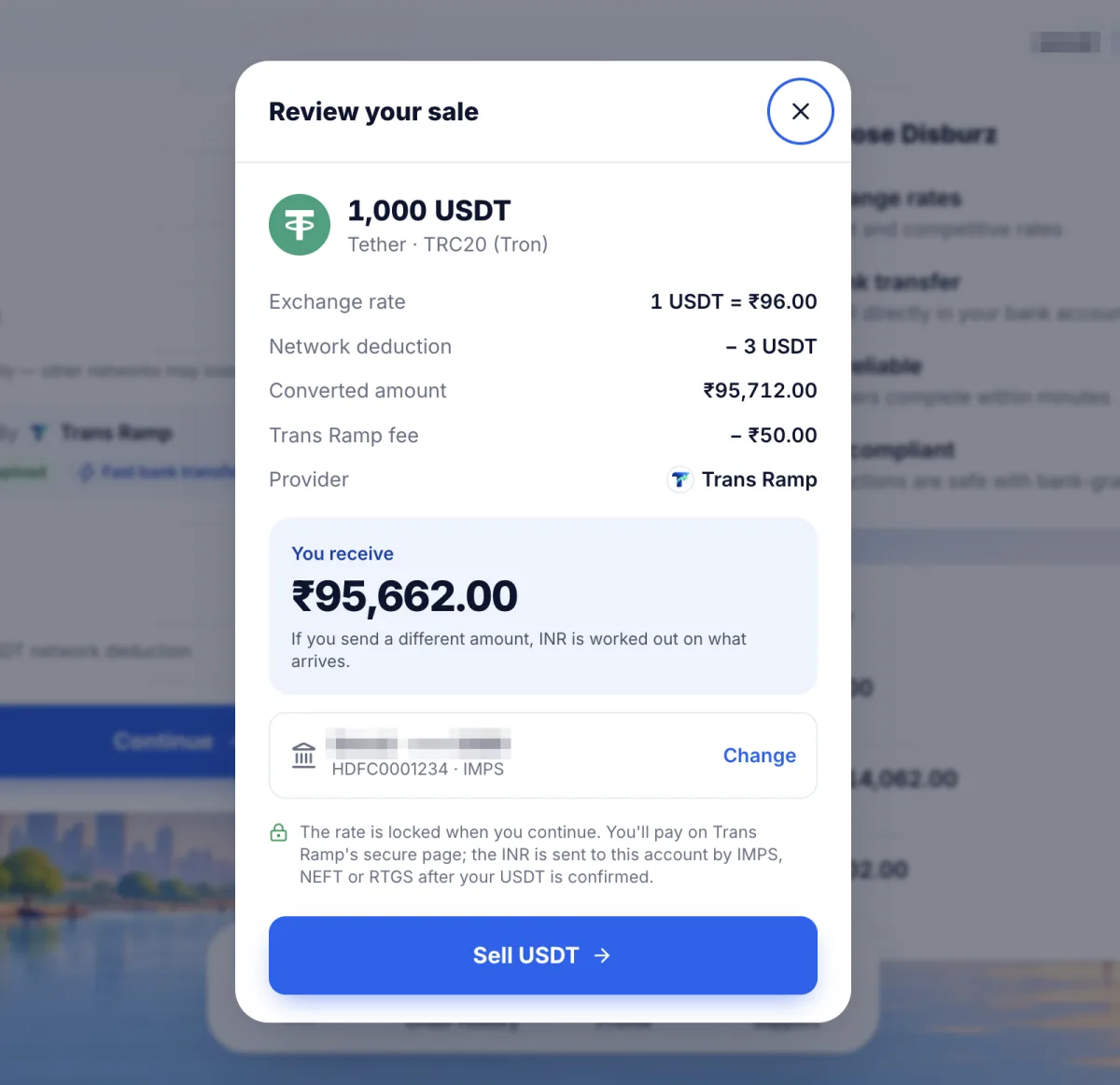
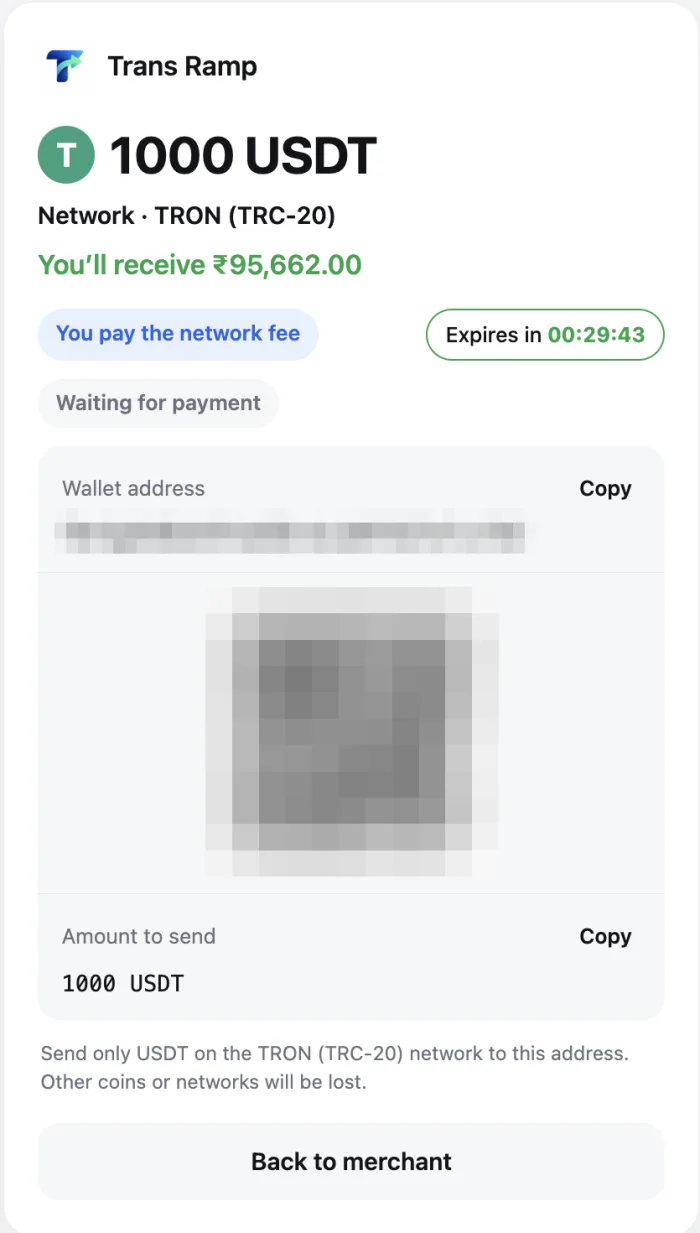
Open the Disburz USDT to INR quote, enter how much you want to sell and pick the same network your USDT is on in Trust Wallet. You’ll see the live rate, every deduction and the exact rupees you’ll get. Continue to lock the rate, add your bank account, and copy your deposit address.
Step 4: Send from Trust Wallet
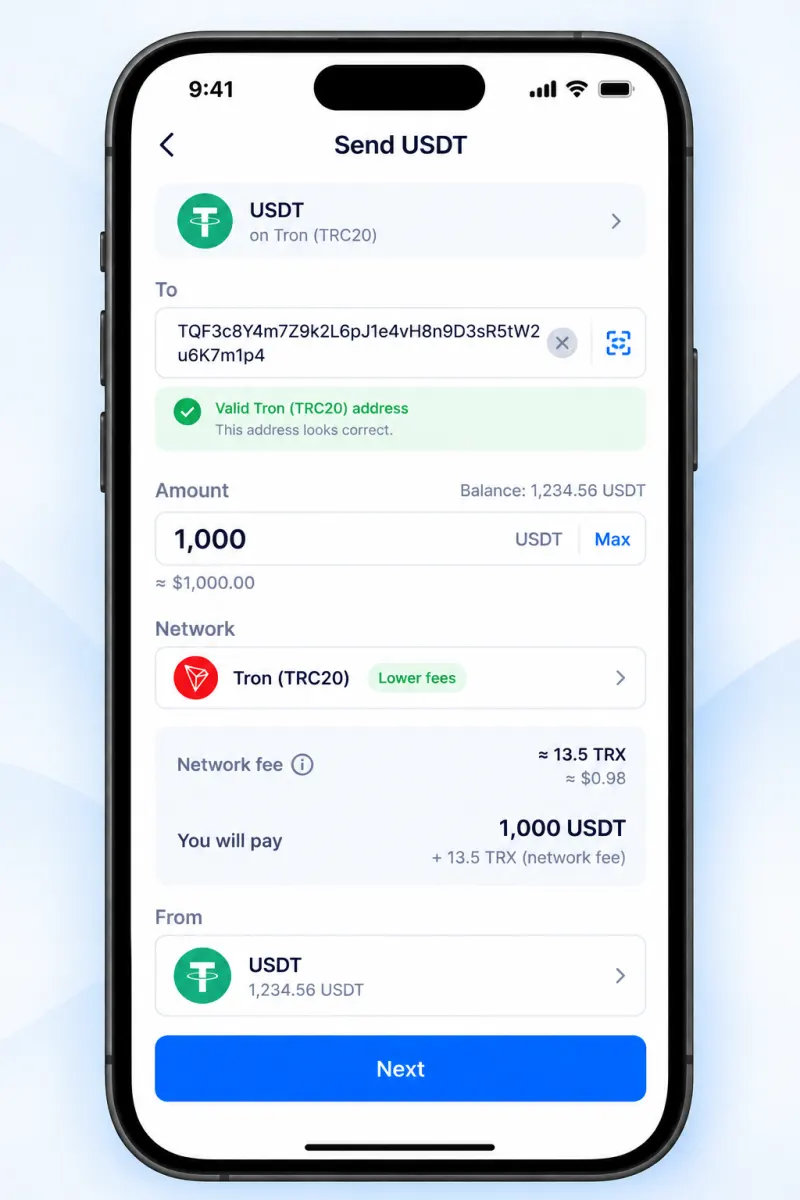
- In Trust Wallet, tap the USDT on the right network (for example, USDT · Tron).
- Tap Send.
- Paste the deposit address, or scan the QR code from your Disburz order.
- Enter the amount exactly as in your order.
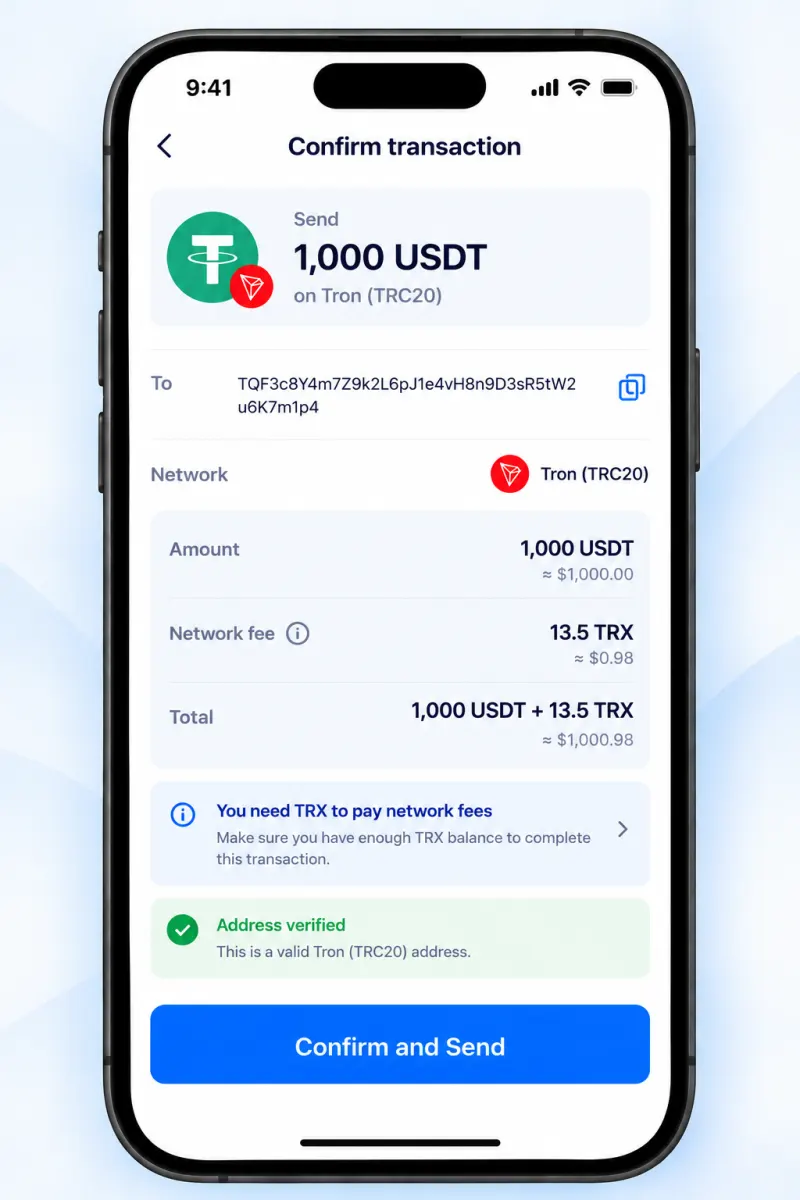
- Tap Next and check the network fee shown in TRX, BNB or ETH.
- Check the first and last 4–6 characters of the address one more time, then Confirm.
Unlike an exchange, Trust Wallet takes the fee in the network coin, so the full USDT amount you type is what arrives. Don’t add extra.
Step 5: Watch it arrive in your bank
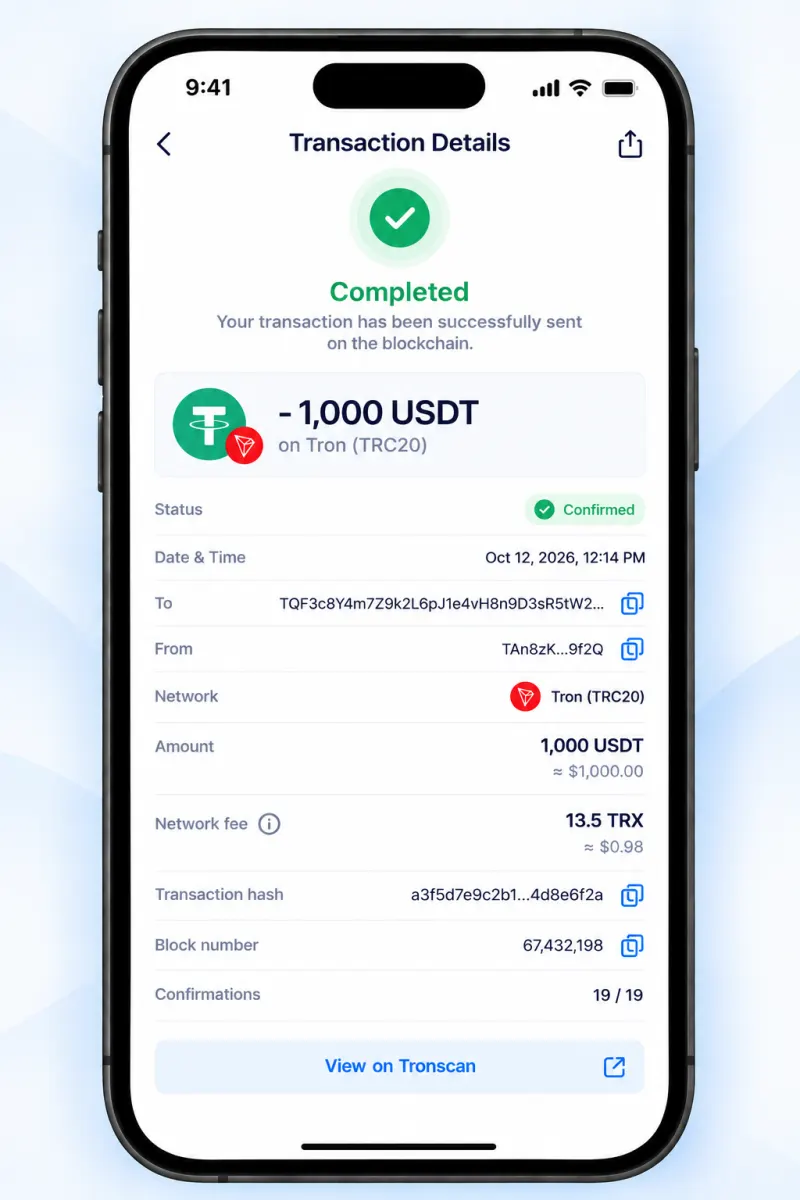
Trust Wallet shows the transaction as pending, then confirmed. Tap it to open it on a block explorer (Tronscan for Tron, BscScan for BNB Smart Chain). On Tron and BNB Smart Chain, confirmation takes about a minute. Disburz then pays INR by IMPS, NEFT or RTGS and gives you a bank UTR. IMPS payouts usually land within minutes of confirmation.
What about the “Sell” button in Trust Wallet?
Trust Wallet sometimes shows a Sell option that routes you to third-party providers. Whether it supports paying rupees into an Indian bank account depends on the provider and changes over time. If it’s offered, compare the final rupee amount it shows with your Disburz quote for the same USDT, and check the provider’s fees and KYC before you go ahead.
Worked example
You have 500 USDT on Tron in Trust Wallet and 25 TRX for fees. You get a TRC20 quote and send 500 USDT. The network fee comes out of your TRX, so all 500 USDT arrive.
| Arrives at Disburz | 500 USDT (TRC20) |
| Network deduction | − 3 USDT |
| Rate | 1 USDT = ₹96.00 |
| Converted value | ₹47,712.00 |
| Fee | − ₹50.00 |
| Paid to your bank | ₹47,662.00 |
|---|
Today's live numbers. Use the USDT to INR calculator for any other amount.
Mistakes to avoid
- Sending BNB Smart Chain USDT to an order quoted for Ethereum (or the reverse). Both use
0xaddresses, so Trust Wallet won’t stop you. Read what happens if you send on the wrong network. - Swapping all your TRX or BNB to USDT and leaving nothing for fees.
- Sharing your 12-word recovery phrase. Trust Wallet support, Disburz, and anyone legitimate will never ask for it. Anyone who does is trying to empty your wallet.
Tax
Selling crypto from a self-custody wallet is taxed the same way as selling on an exchange: 30% on gains plus cess, and 1% TDS may apply. Keep a note of when and at what price you got the USDT. See our crypto tax and TDS guide.
Keeping your USDT on an exchange instead? Read how to withdraw from Binance to an Indian bank account. Thinking of selling on P2P instead? First read why bank accounts get frozen after P2P trades.