
How-to · 4 min read
Checklist Before You Sell USDT in India: 12 Checks
A 12-point checklist before you sell USDT for INR in India: network, address, gas fee, bank details, rate, fees, records and tax, with links to every detail.
By Bryan Aaron · Updated
Quick answer
Before you sell USDT, check the network your USDT is on, copy the payment address exactly, keep gas for the fee, confirm your bank account is in your own name with the right IFSC, compare the final INR after fees, and save the order details and UTR for your tax return.
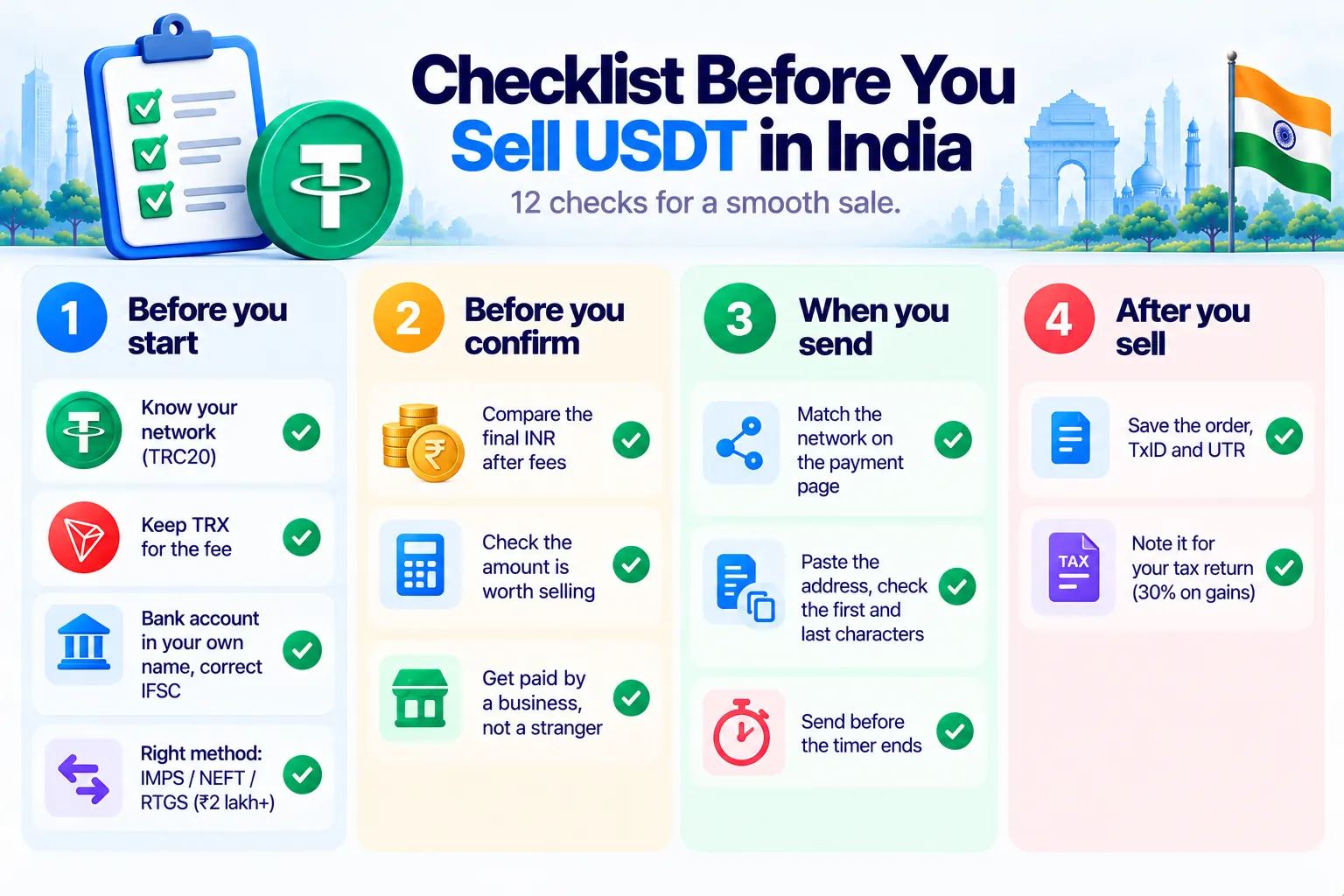
Most problems with selling USDT come from a handful of avoidable mistakes. Run through these 12 checks before you send, and you'll avoid nearly all of them.
Before you start
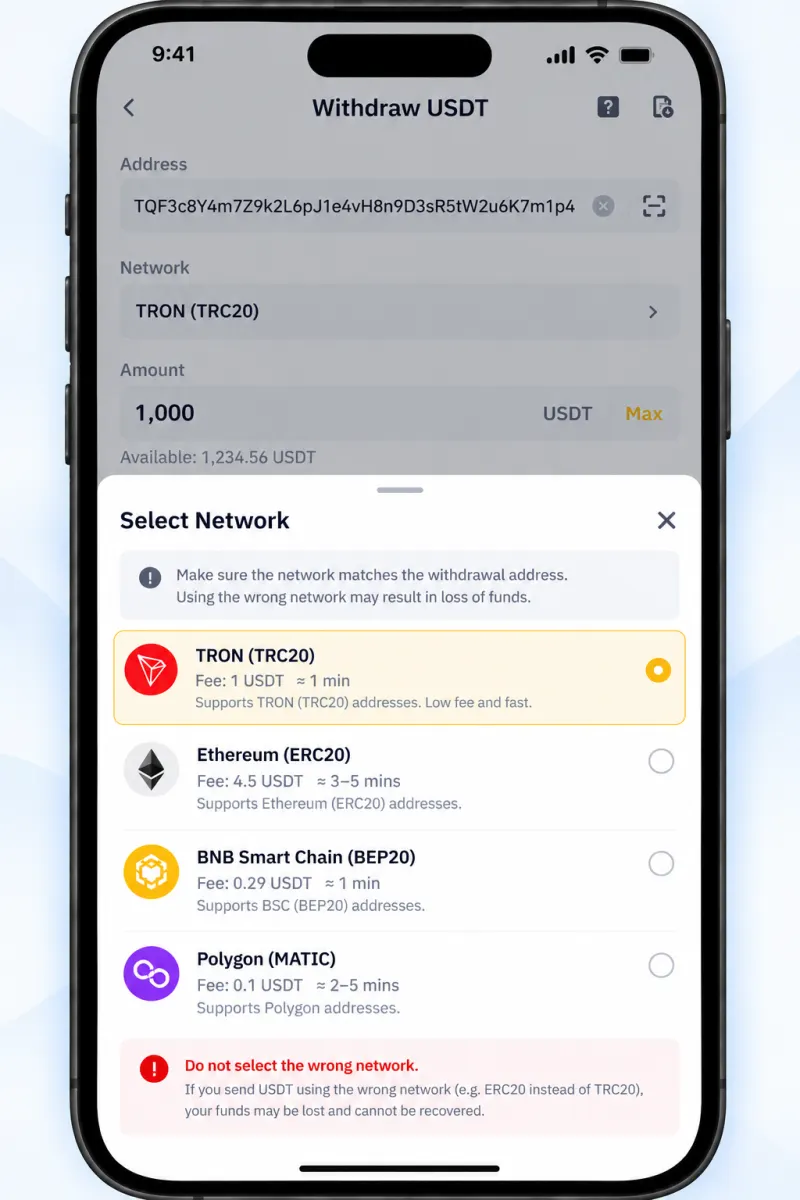
- Know where your USDT is and on which network. TRC20, ERC20, BEP20 and the others aren't interchangeable. Disburz accepts USDT on TRC20 today. See TRC20 vs ERC20 USDT.
- Keep gas for the fee. Sending from a wallet on Tron needs TRX. From an exchange, the withdrawal fee is taken from your USDT instead.
- Have a bank account in your own name, active and able to receive money, with the exact account number, IFSC and holder name from your bank app.
- Pick the right transfer method. RTGS is only for ₹2 lakh and above. See IMPS vs NEFT vs RTGS vs UPI.
Before you confirm
- Compare the final INR after every fee, not the headline rate. The USDT to INR calculator shows it.
- Check the amount is worth selling. Fixed fees hit small sales hardest. See selling small amounts of USDT.
- Check who pays you. A business paying from its own account, not a stranger. See how to sell USDT without P2P.
When you send
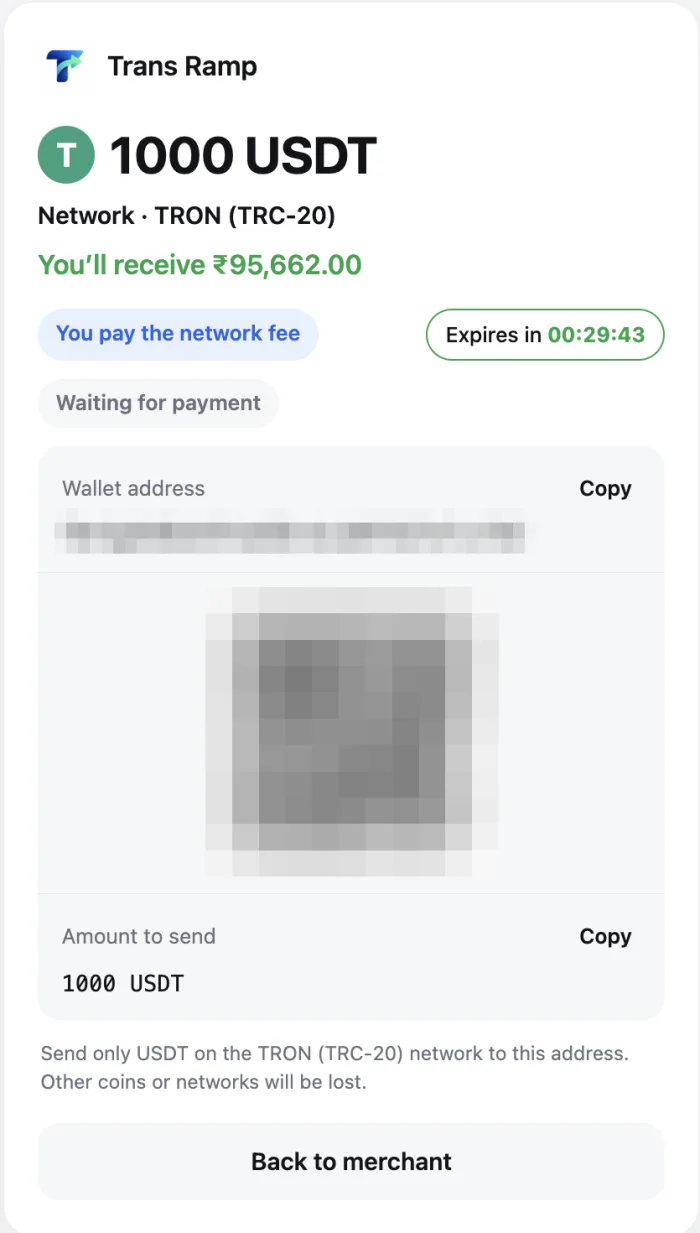
- Match the network shown on the payment page exactly. See what happens if you send on the wrong network.
- Copy and paste the address, then check the first and last characters. Never type it, and never copy it from your transaction history, where look-alike addresses can hide. Our USDT address checker can help.
- Send before the payment window ends, and send the amount you confirmed.
After you sell
- Save the proof: the order details, the blockchain transaction ID, the INR received and the UTR.
- Note it for tax: what you paid for the USDT and what you got. Gains are taxed at 30% plus cess. See crypto tax and TDS in India.
If something goes wrong
- Money not arrived? INR not received after selling USDT.
- Bank sent it back? bank rejected your USDT payout.
- Not sure where your order is? what happens after you send USDT.
Ready? Follow how to sell USDT for INR step by step.